
With Speak4’s Regulations.gov API integration, citizens leave comments on federal regulatory documents for review. Messages sent via your Speak4 custom campaign will be submitted as comments on the regulations.gov document, allowing your advocates to voice their opinion on topics they care about. This directly supports the rulemaking process for new, ongoing, or past regulations.
To start, set up a new custom campaign. Here, you can toggle the Regulations.gov API integration on or off. After turning it on, a box will appear where you will be able to paste the Document ID of the regulation you want your advocates to leave comments on.
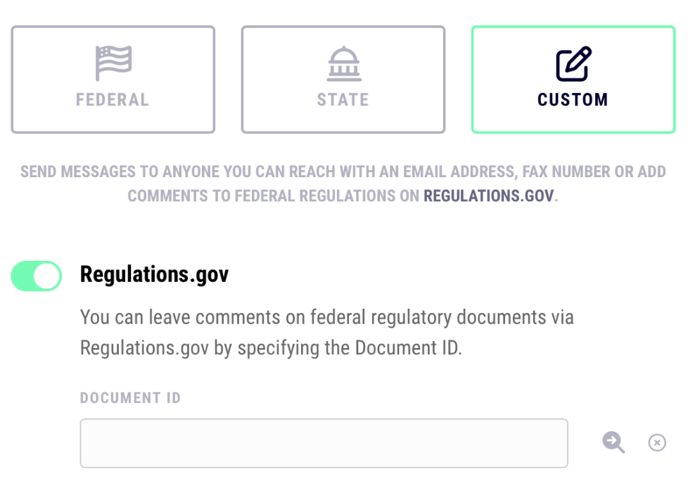
After entering the document ID and hitting the search button, Speak4 will find the document name for you. If the document has been withdrawn or is past comment due date, the box will be highlighted in red. Otherwise, the document is ready for advocates to leave comments on.
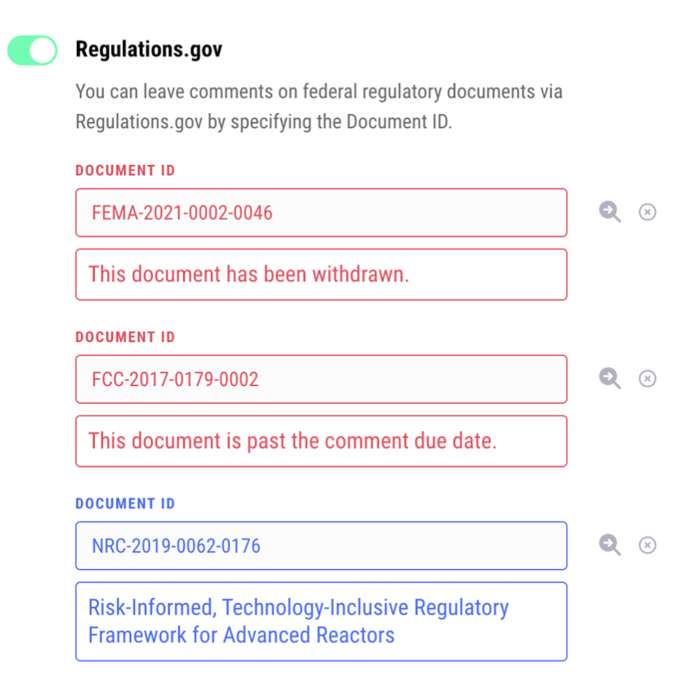
You can add multiple documents to the Speak4 campaign at once.
Remember to save the campaign settings after you’ve added all your documents. Now, you’re ready to create the landing page for your campaign!
Still have questions? Contact us at team@speak4.co