
If you’d like advocates to take action while staying on your own website, you can embed a Speak4 landing page on any webpage you own.
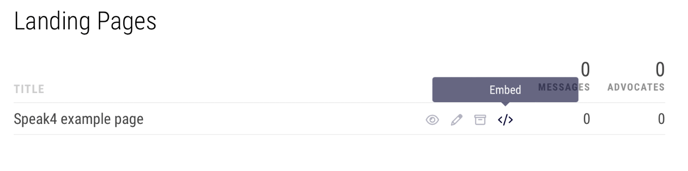
Navigate to your campaign that contains the landing page you’d like to embed. Then, hover over the landing page and click “embed”. This will copy the html code to your clipboard.
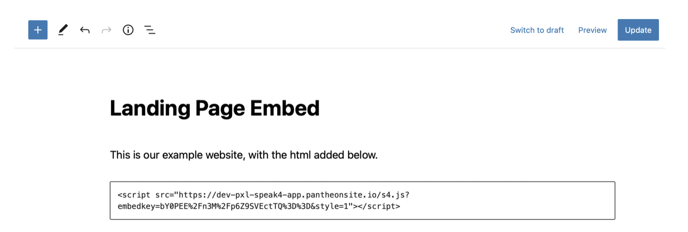
Next, open your website editor and paste the custom html into wherever you’d like the Speak4 form to appear. For this example, we are embedding the Speak4 form on a site hosted by WordPress.
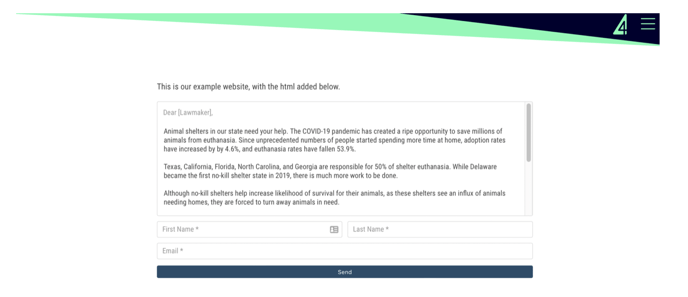
The embed will use your landing page’s form message, Storyteller settings, confirmation settings, and color. It will not pull in your landing page content, giving you more control over the content on your web page.
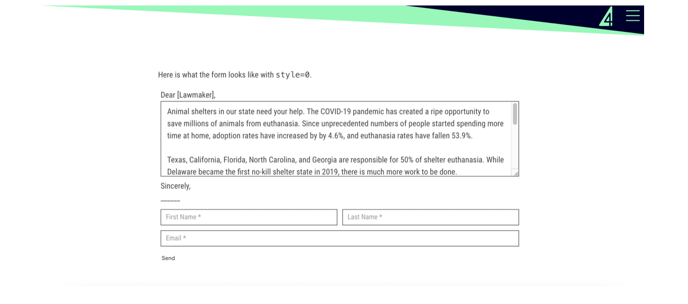
It will also inherit the fonts used on your web page by default for consistency. However, all of the default css can be easily overridden to suit your specific needs. For example, if you want to use your website’s font, simply change style=1 into style=0.
Please note that any UTM data on your website’s url will also carry over to any Speak4 messages sent via the form embed.
If you make changes to your landing page and don’t see the edits on the embedded form, do a hard refresh by pressing Ctrl + Shift + R on Windows, and Cmd + Shift + R on Mac.
Still have questions? Contact us at team@speak4.co.